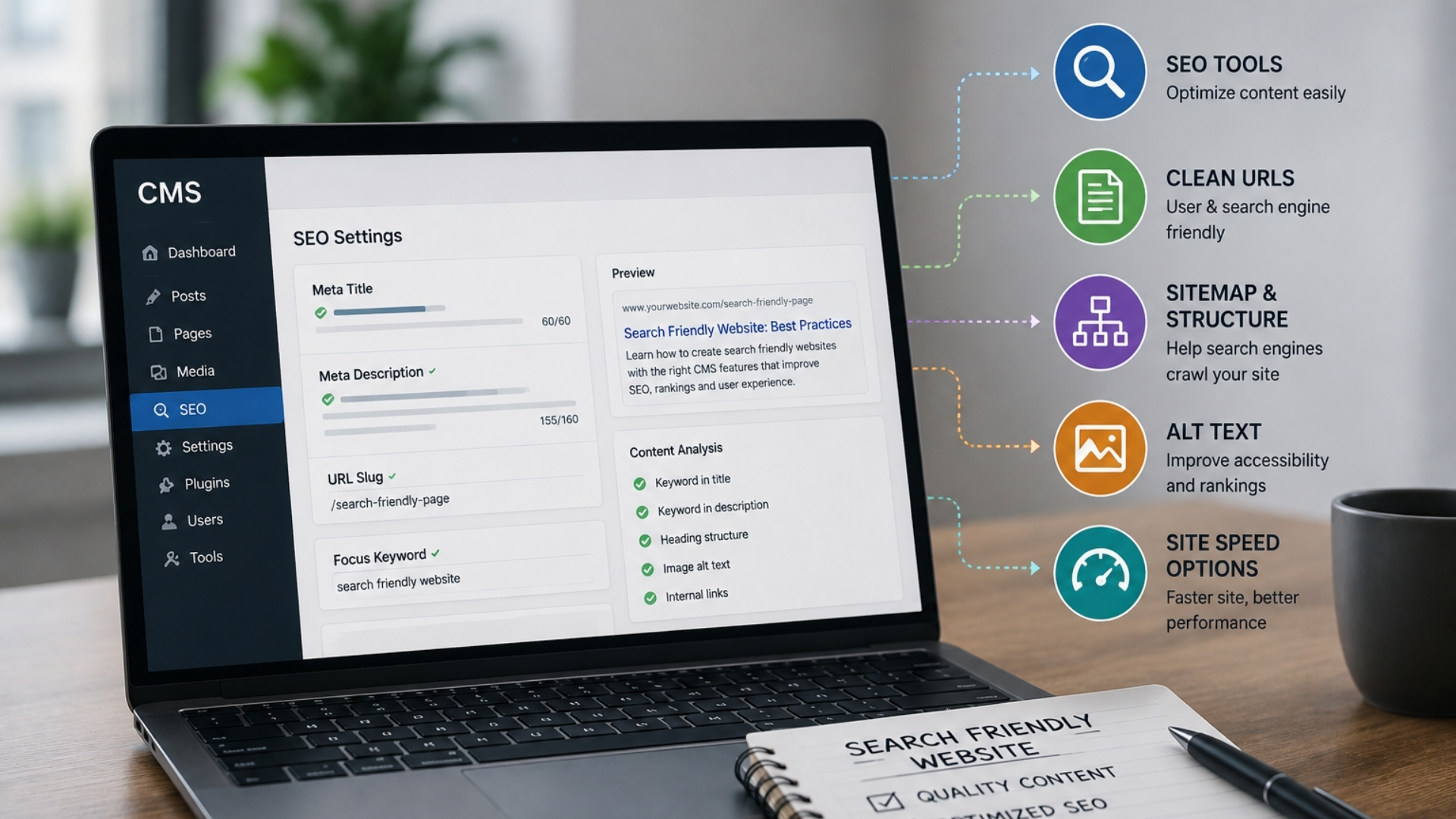
CMS Features That Matter Most for Search Friendly Websites
When you pick a CMS, you’re not just choosing a content tool you’re deciding how easily search engines can discover, understand, and rank your site. The right platform gives you control over URLs, meta data, and technical settings without constant developer help. The wrong one hides crucial options or makes simple changes risky. Before you commit to a system, you’ll want to know which features quietly determine whether your content ever gets found.
Why Your CMS Choice Matters for SEO
Because your content management system sits at the core of your site, the CMS you select can either support or hinder your SEO efforts.
It determines how efficiently you can manage title tags, meta descriptions, headings, internal links, and image alt text, ideally without relying heavily on additional plugins or developer intervention.
Your CMS also influences URL structure, canonical tags, and 301 redirects, all of which help prevent issues such as duplicate content and 404 errors.
Performance-related capabilities such as page load speed, responsive design, CDN support, and image optimization affect Core Web Vitals, which are used by search engines as indicators of page experience.
In addition, integrations and APIs can make it easier to scale content creation and metadata management, supporting more consistent and sustainable organic growth over time.
A platform's reputation and its current capability often diverge, so it's worth checking what a CMS does today rather than what was true of it a few years ago. Joomla is the standard example: long written off as weak for search, it now handles search-friendly URLs, redirect management, metadata control and native multilingual setups without add-ons. The hosting.de Joomla SEO Guide works through where the platform holds up and where it still asks more of you than WordPress does, and it doubles as a decent template for assessing any CMS against the criteria below.
Crawling & Indexing Features Your CMS Needs
Beyond affecting on-page SEO and performance, your CMS also plays a central role in how efficiently search engines can crawl and index your site. It should automatically generate clean, up-to-date XML sitemaps so crawlers can discover new and modified URLs promptly.
Robust support for canonical tags is important for signaling preferred URLs and reducing issues related to duplicate or near-duplicate content. In addition, full control over robots.txt and page-level robots directives allows you to restrict crawling of low-value or utility pages while keeping important sections accessible and indexable.
Google Search Central's crawling and indexing documentation is the reference worth checking these behaviours against, since it sets out how sitemaps, robots directives and canonical tags are actually interpreted rather than how plugins describe them.
Your CMS should support SEO-friendly slugs, stable and consistent URL structures, and reliable 301 redirects to preserve link equity when URLs change. Finally, accurate metadata (such as titles and descriptions) and a clear content hierarchy (using headings and internal linking) help search engines understand page context and relationships, which can support more accurate indexing and ranking.
On-Page SEO Controls Every CMS Should Include
While technical foundations determine how search engines access your site, on-page SEO controls within your CMS influence how well each individual page can rank and attract clicks.
It's important to have direct control over title tags and meta descriptions so each page can target specific queries and present a clear, relevant summary in search results.
Your CMS should allow flexible configuration of heading tags (H1–H3 and beyond) to structure content logically and signal topic hierarchy to both users and search engines.
It should also support editable, concise URL slugs, along with automatic 301 redirects when URLs change, to preserve link equity and minimize broken links.
Each image should include a dedicated alt text field to improve accessibility and provide additional context for image search.
Finally, internal linking should be straightforward to implement, enabling you to connect related pages and support a coherent site structure.
Key Technical SEO Features to Prioritize
Strong on-page controls are only effective if the CMS also manages the technical elements that allow search engines to access, interpret, and index content efficiently. Core Web Vitals should be a priority, including fast loading times, responsive interactivity, and stable layouts. The CMS should support performance optimization through features such as built-in image compression, responsive image formats, code minification, and CDN integration.
Technical discovery features are also important. The CMS should provide XML sitemaps, editable robots.txt files, and support for clear internal linking structures. Native handling of canonical tags and 301 redirects helps consolidate ranking signals and reduce issues related to duplicate content. In addition, SSL/HTTPS support, mobile-responsive templates, and reliable rendering are necessary to align with mobile-first indexing and current search engine standards.
SEO Plugins, APIs, and Workflows in Your CMS
Treat your CMS as a central system for managing SEO, not just a publishing interface. Use SEO plugins or built‑in modules to configure titles, meta descriptions, canonical tags, and XML sitemaps directly in the editor. Real‑time checks on these elements can reduce errors at the point of publishing.
In a headless CMS, rely on REST or GraphQL APIs so external tools can read and write metadata, inject structured data, and update page content without requiring full template changes. This approach supports more consistent and automated SEO management across different front‑end applications.
Establish workflows that include creating and maintaining 301 redirects to preserve link equity when URLs change. Implement role‑based approvals and versioning to limit the risk of important SEO fields being unintentionally modified or removed.
When selecting a CMS, prioritize ecosystems with mature, well‑maintained plugins or robust APIs, as these typically integrate more reliably with analytics, crawling, and optimization tools than ad hoc or bolt‑on solutions.
How to Evaluate CMS Platforms for SEO
How can you tell whether a CMS will support your SEO efforts rather than limit them? Begin by confirming that you can edit key on-page elements title tags, meta descriptions, headings, image alt text, canonical tags, and URL slugs directly in the interface, without relying on custom development.
Next, review its technical SEO capabilities. At minimum, the CMS should support automatic XML sitemap generation, editable robots.txt, straightforward 301 redirect management, canonicalization controls, and SSL/HTTPS configuration.
Assess performance features as well, including how the platform handles Core Web Vitals, image optimization (compression, lazy loading, modern formats), and CDN integration.
Evaluate how well the CMS fits into your SEO workflows. Look for native SEO settings or reputable plugins, stable API access for automation and integrations, and compatibility with analytics and tracking tools.
Before committing, test the CMS with real themes, plugins, and multilingual setups where relevant, and run performance and SEO audits. This helps identify issues such as bloated code, excessive scripts, or slow load times that could undermine rankings.
Conclusion
When you pick a CMS with the right SEO features, you make every optimization faster, cleaner, and more consistent. Strong crawling controls, on-page fields, technical performance, and smart workflows mean you’re not fighting your tools you’re using them to win more search visibility. As you compare platforms, test their real SEO capabilities, not just marketing claims, so your CMS becomes an advantage in search, not a hidden bottleneck. |